
Guest post by Rahmeen Ahmad Khan. She is MBT"s Gold Star Contributor
 We are so pleased to display our new logo and present our new tagline "Turning Bloggers into Entrepreneurs" we really mean it. We have been in this field for three long years and we have now decided to experience something big now. Today we will find out how to incorporate the spirit of entrepreneurship in the blogging world. Most of the people are engaged in blogging for two main reasons; to make money or because they are passionate. Very few of them think ahead of it.
 Note:- To watch Mohammad's Latest Video Presentation on How To Become Successful Entrepreneurs please click here
 Mohammad
3/30/2012
Announcement
,
Blogging ethics
,
Blogging tips
,
Guest Posts
Mohammad
3/30/2012
Announcement
,
Blogging ethics
,
Blogging tips
,
Guest Posts
 There are many sticky bars that are all over the internet also MBT have some amazing sticky bars widgets and I see many people welcomed it at MBT so I came today with another good site that provide a service to create an easy customized sticky bar with a lot of advantages and this bar is also used on most of the popular blogs . You can see statistics for it and even add your
  I personally really liked the Page Redirect option among the
  All BlogSpot blogs will be automatically upgraded to the new blogger look so that it may blend other Google Products. With the introduction of Google Plus , developers at Google have given the same design and look to every Google service to keep things simple. The current interface at draft.blogger.com will now be officially launched at Blogger.com from First April 2012 onwards. This upgraded interface has many new features and is a lot faster. All your favorite blogging actions now have several shortcuts thus making your blogging experience even more worthwhile. We will also learn how to turn back to old blogger look or switching back to old user interface. Lets have a quick look at some of the important changes.
 The most important success key in business is “Planning”. A flawless planning with incredible determination can doubtlessly take you to ultimate heights. We have also achieved many goals using this tool. As we have shared the successful launch of our sister blog i.e.
  With the introduction of
  Its big, its exciting and its worth an applause!
  Two days ago we learnt an easy way to create a
  Drop down menus provide easy and neat navigation by organizing and featuring important category links of your blog. With increased use of categories and tags, organizing links in a simple menu is difficult therefore the menu that we share today provides you with easy control over its column and rows display. You can choose to create as many sub levels as you want. Its created using simple HTML and CSS3 along with cool JavaScript transition effects. The script is adopted from
  Yet another interesting event took place at ACM NUCES Fast University Karachi being sponsored by Folio3. Developers Day is one of my favorite IT events of hometown where people like me get an opportunity to create awareness amongst young teenagers. This event took place on 15th March 2012 and it comprised of exciting competitions in which one could take part to exhibit his skills. My soul purpose behind taking part in 10 Minutes Tech talk was of course not to win or loose but to take advantage of this opportunity and educate the highly enthusiastic students coming from different universities of the city with the idea of Entrepreneurship.
 I just took a simple HTML div box and inserted inside it
  Whether you call it "Read More Link" or "continue Reading Link" or "Jump Break" or Excerpts (teasers), they all refer to the link or button that displays only a small portion of the post on homepage. The visitor can see full post only when he clicks this link or button. Some of you are still confused on how to add a "read more link" inside your RSS Feeds. You have seen this link in MBT's email feeds and RSS Feeds. some of you even asked how to format the intro image and opening paragraph so that it may display perfectly in feeds. In todays tutorials we will learn how to make things clean.
 Blog speed is an integral part of a blog's Traffic strategy. Blogs that
  This is second part of our series on Facebook Comments plugin. Facebook comments are now optimized and easily indexed and crawled by search engines. Facebook comments appear in search results and can drive your traffic both from its 845 Million registered users and also from Mega Search engine Google. I have already shared a tutorial on how to
  Facebook Comments plugin has rapidly replaced third part commenting system like disqus and others. They are now also being crawled and index by search robots. Our first tutorial on
  One of the question that almost everyone starts asking after working hard for days and nights by writing tons of articles online. Why should your blog make money? Why should advertisers sponsor it? What have you got in your content that will provide potential return to advertisers? Why should someone buy an ad spot on your blog? Are you receiving good page views? What is handsome traffic in numbers for you? Do you have readership power? How many people actually re-share your content? How active are your daily readers, do they shop online? Which country brings you a lot of traffic? Forget about PageRank, whats your Alexa? A lot of questions that can be asked from people who just stepped into blogging and all these questions have logical answers. I have observed new enthusiastic people rapidly turning their attention to this beautiful art of writing and earning online. Yes without any doubts, blogs do make money and they drive hell lot of traffic but if that is the case then why aren't everyone becoming a millionaire? The secret lies in a sensible traffic formula and understanding search engine optimization strategies, the sooner you know it, the better it gets.
 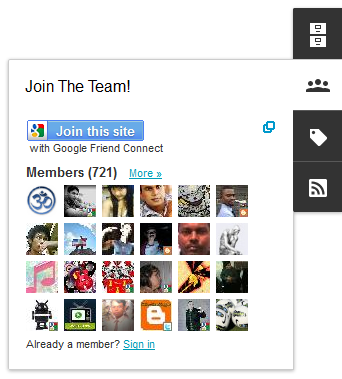 Six extremely beautiful dock style gadgets have been introduced for blogger dynamic views which are a set of templates first launched on September 20111, with interactive user interface that provides a user with a complete different experience in variety of new ways. Its built with the latest in web technology (AJAX, HTML5 and CSS3). The widgets display in a different format. Instead of occupying a space at your sidebar, the widgets appear in a dock that slides in and out when a visitor hovers mouse cursor on it. Lets take a tour of dynamic views new added factory tools!
