

Time is the most important investment for Bloggers when it comes to making money online. Believing on this ideology, it was again Google who launched an AdSense Publisher Toolbar in the month of January this year, which was especially designed to provide you a simple and quick way to monitor your AdSense account performance from your pages. This AdSense publisher toolbar has been recently renamed to Google Publisher Toolbar. If you had have already installed this Google Chrome Extension, you must be knowing what am I talking about. For Readers who have come across to this magnificent added piece to Google Chrome for the first time, They Must first know what its all about!
Google Publisher Toolbar is a Google Chrome extension that keeps you updated with your AdSense account information while you browse your Website in Chrome. You need to login to your Google Account to keep a track of your Performance, Earnings and ad overlays,providing in-page reporting. Google Publisher Toolbar is available in all AdSense languages, making it highly compatible to the blogs related to different niches-different places!
Why Google Publisher Toolbar?
As stated above, Your blog requires your regular monitoring in order to keep the things go smooth. With Google Publisher Toolbar, you can now keep a check and monitor which ad to allow or block on your site. Yes, You got it right! You can now block all the annoying or inappropriate Ads from your Website, giving it a clean and decent look. This saves your time considerably as compared to the usual way of blocking where you are required to navigate through your account,investigating which ad to block and which not.
Getting Started with Google Publisher Toolbar
For those, who were already enjoying being facilitated with AdSense Publisher Toolbar, your extension has already been updated automatically, therefore, no need to re-install it. if the idea makes sense to those who are not availing this, get your Google Publisher Toolbar now by clicking on the link.

Click on ‘ADD TO CHROME’ to get the extension for your Chrome browser.

Next, it will ask you for your confirmation to allow accessing your Website data, which you are required to allow. Click on ‘Add’ to proceed.
The extension has a size of 3.5Mb and will get installed in no time. Once it gets installed, you will be prompt by the bubble on your taskbar, notifying you about the application been added. You now need to refresh or reopen your Chrome Browser!

You will see a new performance widget on the top right of your Chrome window. Click on it and Sign in with your Google Account.
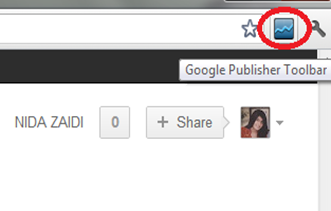
Once signed in, you can now customize your settings about the ad overlays, knowing about ad unit,name of the ad slot, performance metrics, the destination and display URL of the ad, and a preview of the ad.

Use Ad Review Center to take action for Ads directly that are needed to be blocked. Apart from ensuring safety of your blog from irrelevant Ads, enjoy monitoring your website’s performance and earning much simply as compared to the traditional long way!

Happy Blogging,


If you don't want to get yourself into Serious Technical Trouble while editing your Blog Template then just sit back and relax and let us do the Job for you at a fairly reasonable cost. Submit your order details by Clicking Here »
 Nida Zaidi
7/06/2012
Google
,
Google AdSense
Nida Zaidi
7/06/2012
Google
,
Google AdSense

Hey Nice Article But Don't You Think Accessing Google Adsense Again and Again Could Give a Signal to Google that there is something Fishy out there, But moreover really one of the awesome tools from Google surly help Users and nicely crafted too keep that motivation intact. Peace, Blessings and Happy blogging.
ReplyDeleteRegards:
SYED
Nice tut. Nida and well explained
ReplyDelete::: 100+ Stunning Blogging Tips and Tutorials :::
This comment has been removed by the author.
ReplyDeletevery interesting and good.. have one doubt.. need ur help.. Is there any constraints for getting ads? My hubby's friend has blog and he said that for getting ads we should have domain and for that we should have more than 500 viewers per day.Then only google will give ads to our blog.. and they said If i apply ads(below 500 pageview per day)then google will give small ads only ...is that so? please do reply...I was in a big confusion :(
ReplyDelete@Madhans
ReplyDeleteHi Miss, First Of All Thanks For Commenting. Google Adsense works fine for Small As Well Gigant Publishers. If you Have Highly Professional Content and has fare-enough Good Traffic then you can Earn Easily.
Now 500 Unique Visitors Per Day is Good for Adsense but You need to Think More About Traffic Because the more Traffic You Will Get the chances are very high that you Earn with Command.
Google Approves Almost Each and Every Website which has some sort of uniqueness but to continue fruitful experience we need to maintain perfection, don't worry about traffic just write gorgeous content and you will automatically get the exposure, Just Work on Content and I am Pretty Sure Adsense will never Let you Down. Have a Nice Day
Regards:
Syed Faizan Ali
Dear Madhans,
ReplyDeleteThanks a lot for dropping your comment here,
@Faizan
Thanks Bro for helping out our reader, so rightly said. No room to add anything :)
Cheers
Simply Nice
ReplyDeleteMy Cyber Tricks
Nice tool but i think its not good for Pakistani bloggers.
ReplyDeleteITBooster