
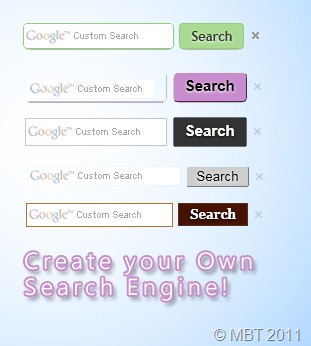
How To Create a Custom Google Search Engine?
- Go To Google CSE
- Hit the create custom search engine button
- Fill the form as shown in the screenshot below,

4. The Click the next button and choose the Design for your search engine. You can click the "Customize" button to edit the colours and look.

5. Hit the next button and then click the "Look and feel" link on the next page as shown below,

It will bring you a page where you will find three layout options i.e Full -width, Compact and Two Column as shown below,

- If you wish to add the search box just below posts as I have done on my blog then choose Full-width
- Or if you wish to display the box and results on the sidebar then choose compact
- Else if you wish to add your search box to your sidebar and display the search results above the post title then choose Two Column
6. Finally hit "save & get code" button and jump to the next part of our tutorial.
Add Google Custom Search Engine To Blog Posts
To add the search engine just below your blog posts as we have done on MBT then please follow the steps below,

- Go To Blogger > Design > Edit HTML
- Backup your template
- Click the Expand Widgets Templates Box
- Search for <data:post.body>
- Just below it paste your Blog Post Search Engine Code (Full-width)
- Save and you are done!
- View your blog to see it appearing just below posts.
Add Google Custom Search Engine To Blog Sidebar
- Go To Blogger > Design
- Choose a HTML/ JavaScript Widget
- Paste your Sidebar Search Engine Code (Compact or Two Column) in it
- Save and you are done!
- View your blog to see it working just fine
Changing your default search box to Google Custom Search Engine Box is an important step that you must take as early as possible. You will see the difference in your analytics the next week. In the next post as shared below you will learn to integrate your AdSense Ads to your Custom Search engine and increase your Adsense earnings.
Hope you liked it! :)


If you don't want to get yourself into Serious Technical Trouble while editing your Blog Template then just sit back and relax and let us do the Job for you at a fairly reasonable cost. Submit your order details by Clicking Here »
 Mohammad
5/27/2011
Make Money Online
,
Widgets
Mohammad
5/27/2011
Make Money Online
,
Widgets

great work mbt, now we can customize google search button also.
ReplyDeletei thing it is more powerful than default search engine.
and eagerly waiting for a post on avatars also.
Sorry mohd_ for disturbing you,problem solved for avatars,now you have no need to write an post on it..
ReplyDeleteRegards
@karan
ReplyDeleteNo problem buddy. But I still need to post one on it as I have not shared it as yet and I have some beautiful designs for it which I hope you guys will like a lot. :>
@beben
ReplyDeleteYou made me confused though. :p Didn't get your question?
@Lucky
It surely is legal because the customization is provided by Google itself.
For the blogger thing, I have heard that they have redeveloped it and given it a new look with web search form but I don't know if they can impose it as a must on all bloggers to display it at the top. Doesn't make sense.
@Lucky
ReplyDeleteForgot about the link. I think we should add a "Powered by Blogger" Link in our blogs at least
Hello,
ReplyDeleteWhat if we need the search engine to appear only in post pages? With your method explained above it is appearing on homepage too under all posts.
Thanks....
@Mari
ReplyDeleteThe above custom search engine was made available by Google to web masters so that Google could better index the website data as well as help the website visitors to get the most relevant search data. It is indeed a SEO must.
@Hetal
Oh I am sorry I forgot to mention that. to show the search engine only on post pages, simply enclose the search engine code between these lines,
<b:if cond='data:blog.pageType == "item"'>
PASTE SEARCH ENGINE CODE GOES HERE
</b:if>
@Felix
ReplyDeleteYou can use the same code as many times as you want. :>
@Felix
ReplyDeleteForgive me for the late reply pal.
When you change the visibility mode of the search engine then of course coding will change. Yes you are absolutely right, You will have to create a separate CSE. This will better help you in monitoring the CTR. Hope this was clear. :>
CSE changes to layout options - Thursday, June 16, 2011 - have resulted in the inability to carry out a date range search by adding, for example, '&as_qdr=d5' to search string. Do you know how I would do the equivalent search in the new environment?
ReplyDeleteIf you are using your Taz template. How do you place that in your search section you provided?
ReplyDeleteThis comment has been removed by the author.
ReplyDeleteHi buddy...i want to place search box just under the header...just like yours....how can i do that...plz help me...thanx...
ReplyDeleteMohd.
ReplyDeleteExcellent post ,i was waiting for this post since many months but surprised how I missed it ...nonetheless good i asked u the other day otherwise i would have wasted more time looking here and there....ur way of explaining things are simply GREAT !!!
HATS OFF !!
THANKS THANKS THANKS ....
:)
i have two cse's and I would like a drop down menu beneath the search bar that you can select which cse to use. Do you know how to do that. Specifically, I'm looking for code. Thanks.
ReplyDeleteI chose 2 columes which I wanted the result to be show above the post, not in the top of the post, actually above it, where do I put the code it offered me?
ReplyDeletediv id="cse" style="width:100%;"></div "
i want the search result to be displayed like yours. please give detail procedure.
ReplyDeleteHey,
ReplyDeletei need help...ive place code in html wigets but it doesnt seem to search any blogs.
This comment has been removed by the author.
ReplyDelete@Movie Kang You want to add Two Column sidebar search box like this blog?
ReplyDeleteSo after placed code in html widgets, Go to Blogger > Design > Edit HTML >>Backup your template >> Click the Expand Widgets Templates Box. Now search <data:post.body> and paste the below code below it.
<div id="cse" style="width:100%;"></div>
If it's not work so search <div class='post-header'>
and paste <div id="cse" style="width:100%;"></div> below.
I hope it's will work :)
I followed the procedure as stated in blog post Google custom Search engine for many times. But I could not find it working over my blog. A message loading is appeared below the post. Please guide me in this regard
ReplyDeletehi..
ReplyDeletedude i wants same search box like you. which "Display the search box in one area and the search results in another area - Two column" like your website.
And I am trying since 2 hr but it is not working properly. when i add that "Two column" layout it doesnot work when i click on search button.
Full-width layout is working but it is showing result bellow search box - check here on my website -( http://www.wildhacker.com )
And when i used default search widget, its work fine but bad luck we cant custmized it.
please help me dude...thanx in advance.
(niketan237@gmail.com)
Hi is a there a way to add the cse to the mobile blogger template
ReplyDeleteAALAAAA...
ReplyDeleteVERY GOOD :)
hello friend i want to promote my site again www.flysad.com
ReplyDeletewhich is full of hidden tips and tricks so remind it
Thanks a lot friend... I have successfully put a functional search engine in my blog (bloggingtipsandtrix.blogspot.com).this post is great.
ReplyDeleteMore power!!!!!!!!!!!
I think taht
ReplyDeleteis
because I cant find in my template.
I am always failed to create this one, I tried every time but result fail
ReplyDeleteVERY THENKS
ReplyDeleteITS A NICE POST