
 Navigation menu or tab menu is the heart of every web page or blog. It provides the path way to all important pages of the website. To create a Navigation menu you must have good knowledge of CSS and HTML. But since more and more designers are sharing their tutorials online, coding has become far easier. I have brought to you a total of 30 High class navigation menus along with their CSS and HTML Codes from across the web. You just need to copy and paste the codes and that’s it!
The Horizontal Navigation Menus below are mostly created by Christopher and Highdots and some by me. I have modified most of the codes in order to make them work in blogger and have also made them pretty easy to be understood by most of you. Further all images are uploaded in my Picasa web album so no effort required on your side.
How To Add These Navigation Menus To Blogger
To add your selected navigation menu to your blogger template follow these steps,
- Go To Blogger > Layout
- Click Add a Gadget or Add a Page element
- Choose HTML/JavaScript widget
- Simple Paste the Navigation Menu Code inside HTML/JavaScript widget
- Hit Save
- Drag HTML/JavaScript widget and drop it just under your Blog Header, as shown below,

7. Finally view your blog to see something hanging below your Blog Header/Logo.
See Live Demo of MBT Navigation Menu #3
To change the links, Edit this part of the HTML in all codes below,
<li><a href="#" ><span>Link 1</span></a></li>
<li><a href="#" ><span>Link 2</span></a></li>
<li><a href="#" ><span>Link 3</span></a></li>
<li><a href="#" ><span>Link 4</span></a></li>
<li><a href="#" ><span>Link 5</span></a></li>
<li><a href="#" ><span>Link 6</span></a></li>
<li><a href="#" ><span>Link 7</span></a></li>
Replace the hash(#) sign with your Page Links /URL and replace Link1, Link2, Link3 etc with your Page Titles. If you wish to add or delete a tab then simply add or delete this line,
<li><a href="#" ><span>Link n</span></a></li>
As a designer I always look for inspiration that can be useful for both my readers and for my designing projects. I hope the resource below will be of great use to Bloggers from all platforms and to designers. Start choosing your favorite Navigation Menu and do not hesitate to ask me if you needed help in customizing it.
Tip:- To See Demo Of Other Menus, Simply Copy Paste The Code Inside MBT HTML Editor and Hit Preview To See It Live.
MBT Navigation Menu #1
No Image Used

MBT Navigation Menu #2
No Image Used

MBT Navigation Menu #3
No Image Used

MBT Navigation Menu #4
No Image Used

MBT Navigation Menu #5

Tabs Menu #6

Tabs Menu #7

Tabs Menu #8

CSS CODE:
Tabs Menu #9
No Image Used

Tabs Menu #10

Tabs Menu #11

Tabs Menu #12

Tabs Menu #13

Tabs Menu #14

Tabs Menu #15

Tabs Menu #16

Tabs Menu #17

Tabs Menu #18

Tabs Menu #19

Tabs Menu #20
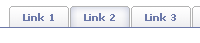
Tabs Menu #21

Tabs Menu #22

Tabs Menu #23

Tabs Menu #24
No Image Used
Tabs Menu #25

Tabs Menu #26

Tabs Menu #27

Tabs Menu #28

Tabs Menu #29

Tabs Menu #30


If you don't want to get yourself into Serious Technical Trouble while editing your Blog Template then just sit back and relax and let us do the Job for you at a fairly reasonable cost. Submit your order details by Clicking Here »
 Mohammad
1/01/2010
CSS and HTMLTricks
Mohammad
1/01/2010
CSS and HTMLTricks

happy new year to you mohammad i wish this yaer will be a prosperous year for u and for all the readers bye nice post
ReplyDeleteHEY THIS IS AFTER A LONG TIME I M COMMENTING
ReplyDeleteI JUST WANTED TO SAY THAT THIS IS THE POST PEOPLE LIKE THE MOST
ONE MORE THING YOU CAN EASILY BUILD THOUSAND OF BACK LINKS WITH THIS MEDIA STUFF JUST INSERT YOUR SITE URL IN THE CODE WITHOUT HYPER LINKING
THIS IS THE BEST POST GOING TO BE COMMENTED BY THOUSAND OF YOUR VISITORS GIVING YOU A LOT OF THANKS
THIS HAVE BEEN INCLUDED IN MY TOP FAV
THANKS ALOT AND HAVE A GREAT NEW YEAR
hi mohd wish you and your family happy new year may this year brings for u lots of happiness,success,lots of smile on your face and of course lots of readers
ReplyDeleteregards,
NIL
Hello Mohammad,
ReplyDeleteHappy New Year !!!
Thanks for sharing these beautiful navigation menus. I would like to use one of them, but i am using MBT Church Theme, so please guide me how it can be used?
I wish a splendid 2010 to all you lovely friends. May you see nothing but love and success in this year.
ReplyDeleteThanks everyone for the appreciation of the post.
@Hetal Patil
Just give me a day, I am working on further 29+ navigation menus. You can then make a better selection :>. Will help you out with everything that will go on.
I will be waiting, no probs.....
ReplyDeleteWish you a great New Year 2010. Thanks for the post
ReplyDeleteCan I have one like this? http://we-fix.blogspot.com/
ReplyDeleteMan! Happy New Year! You helped me a lot with my website, I mean with your tutorials. I wish you a good year and the biggest success that is around!
ReplyDeleteI made a good move by subscribing months ago!
Have fun and keep on groovin'!
@Hetal Patil
ReplyDeletePatience is a virtue :>>
@Sreejesh
Thanks for the greetings.
Do you really like that navigation menu??
@Lucky Flaush
Thank you so much for those motivating words. I wish the same to you.
Yes, I was looking for something like that. Actually, I was thinking of asking you but you posted it already. mind really talks and thanks for the menu.. keep posting and keen growing ... good day. :)
ReplyDeleteI need an appointment when will you be online?? please leave a msg here http://www6.shoutmix.com/?srjcoooldude
ReplyDelete@Sreejesh
ReplyDeleteThese navigation menus will further be equipped with a vertical set. Make sure you keep track :>
You can always catch me online at my ID mustafa.stc during night.
Mohd ,How can I change it with my present Tanzanite template ? Do i have to tweak CSS and HTML both ?Simply adding the Html in page element does not help .
ReplyDeletethanks.
want to know mohd if we can remove the double navigation and replace it with the above modified navigation in Tanzanite template ?
ReplyDelete@Manisha
ReplyDeleteWell for that you can do this,
1. Backup your template
2. Inside your template search for,
/*-------Navigation Menu---*/
And delete the entire code from /*-------Navigation Menu---*/
to /*----------------SEARCH----------------*/
3. Now copy the css code for your prefered Navigation menu from the above collection and paste it just above
Note:- The CSS Code is between <style> and </style> in the above code collection
4. Now search for this,
<div id='nav'>
<div id='navleft'>
<ul>
<li><a expr:href='data:blog.homepageUrl'>Home</a></li>
<li><a href='#'>Sitemap</a>
<ul>
<li><a href='#'>Sub Page 1</a>
<ul>
<li><a href='#'>Sub Sub Page 1</a></li>
<li><a href='#'>Sub Sub Page 2</a></li>
<li><a href='#'>Sub Sub Page 3</a></li>
</ul>
</li>
<li><a href='#'>Sub Page 2</a></li>
<li><a href='#'>Sub Page 3</a></li>
<li><a href='#'>Sub Page 4</a></li>
</ul>
</li>
<li><a href='#'>Contact</a>
<ul>
<li><a href='#'>Sub Page 1</a></li>
<li><a href='#'>Sub Page 2</a></li>
<li><a href='#'>Sub Page 3</a></li>
<li><a href='#'>Sub Page 4</a></li>
</ul>
</li>
<li><a href='#'>About</a></li>
<li><a href='http://www.mybloggertricks.com'>Download Tanzanite</a></li>
</ul>
</div>
and replace it with the HTML part of your Navigation code from the collection above. The HTML code starts just after </style>
5. Now search for this and delete it,
<div id='subnavbar'>
<ul id='subnav'>
<li>
<a href='#'>Quick Tour</a>
</li>
<li>
<a href='#'>Other Webs</a>
</li>
<li>
<a href='#'>About</a>
</li>
<li>
<a href='#'>Contact</a>
</li>
</ul>
</div>
6. Done!
I hope that was clear. Feel free to ask anything unclear Manisha.
Double Thumbs Up, for such an Informative Post
ReplyDeleteHello Mohammad,
ReplyDeleteI saw your post of vertical navigation menus today, but still i would prefer going with horizontal navigation menus, do let me know how can i use them in MBT Church theme for all my blogs.
Thanks...
thank you again for a wonderfull and handy post.
ReplyDeletethis is my favorite website about tutorials :D
brilliant! thankyou for some great menus.
ReplyDeletequick question ... on the tab menus they seem to refer to images stored on another site. is it possible to host those myself in photobucket. i did try but it seemd to mes up the menu.
rgds
@doc
ReplyDeleteOf Course you can do that. But I have saved all images in blogger which means they will load fast and will remain there forever. So dude why take the hectic of saving them on any other server ? =D
I will never recommend Photobucket due to their limited bandwidth!
If you faced an alignment issue then make sure you are using the images in their original size in pixels.
Hi, i've added such menu but i've got one problem. when the browser is loading the page for first time the menu jumps some 20px down, and then i reload the page and it is in the right position. Any idea what is wrong? Thanks in advance!
ReplyDelete@Analyst
ReplyDeleteDear you have added it to your right sidebar despite at the top. Your template has bullets customized by default by Arrows. Since the codes do use bullet code therefore arrows are appearing. If you shift it to top, it will look as shown in the demo.
A solution is to find and delete this code,
background-image:url(http://2.bp.blogspot.com/_vZagjBLs2Ws/SyIYkyOS0oI/AAAAAAAABq8/SyV4NFxw1cQ/s1600/11.png);
Make sure to backup your template.
@Backpackers
Dear share the blog URL where you have applied it. This is happening because your header might not be aligned properly with enough height length.
@doc rogeres
ReplyDeleteApologies brother for a late reply. really sorry! :>
For your first question find edit the code below to align them to right or left,
float:
For your second question Use this code instead,
<style> #navcontainer { float:left; width:100%; background:#666; font: bold 7.5pt Verdana; line-height:normal; border-bottom:1px solid #666; border-top:1px solid #666; } ul#navlist { margin: 0; padding: 0; list-style-type: none; white-space: nowrap; } ul#navlist li { float: left; font-family: verdana, arial, sans-serif; font-size: 9px; font-weight: bold; margin: 0; padding: 5px 0 4px 0; background-color: #666; border-top: 1px solid #e0ede9; border-bottom: 1px solid #e0ede9; } #navlist a, #navlist a:link { margin: 0; padding: 5px 9px 4px 9px; color: #fff; border-right: 1px solid #d1e3db; text-decoration: none; } ul#navlist li#active { color: #95bbae; background-color: #d1e3db; } #navlist a:hover { color: #fff; background-color: #FE9C54; }
</style>
<div id="navcontainer"> <ul id="navlist"> <li><a href="#"><span>Link 1</span></a></li> <li><a href="#"><span>Link 2</span></a></li> <li><a href="#"><span>Link 3</span></a></li> <li><a href="#"><span>Link 4</span></a></li> <li><a href="#"><span>Link 5</span></a></li> <li><a href="#"><span>Link 6</span></a></li> <li><a href="#"><span>Link 7</span></a></li> </ul> </div>
Just chill even further now! Enjoy :D
Hi Mohammad! Your page is so useful, thanks for the great post! I really really love Tabs menu #8 but I can't see where I can change the hovering color of the tab?? It is blue right now but I would like to change the color in the HTML code.
ReplyDelete@Anonymous
ReplyDeleteThanks for the kind remarks bro!
The hovering effect is due to two images which are,
1)
http://3.bp.blogspot.com/_7wsQzULWIwo/SzvA5iiWmCI/AAAAAAAACv0/4lAk0jar62Q/s1600/tableftF.png
2)
http://2.bp.blogspot.com/_7wsQzULWIwo/SzvA5jIWoBI/AAAAAAAACv4/1TJsSRUoYes/s1600/tabrightF.png
Simply change the colours of these two images according to your preferences in photoshop and then upload them and replace the current image links with your customized images. That's it! :>
thanks man its nice
ReplyDeleteHi Mohammad.
ReplyDeleteHow can I change menu tab font??
Thanx
How can I center the menu, I am using 21 or 25 I can not remember.
ReplyDeletei took the first type code. it works well. but i want a one more effect in it. when click a tab for a page I want to highlight that tab only for that particular page...how to highlight the tab for a particular page?
ReplyDeleteHello Mohamed, here Linda from Europe, Slovakia. I used your Tabs Menu #22 for my blog, I just love it!!! it fits my blog in style and even in color. The only issue I have is that I do not know how to center the menu. It is going to left...And I would like to have it in center. Could you advise me, please? Thanks in advance and all the best! xoxo
ReplyDelete@Jespana @Linda
ReplyDeleteTo center the menus kindly encompass the code with these two extra codes,
<center>
Paste the Navigation Code here
</center>
Hello Mohammad. My name is Tyler, from California, USA. I love your toturial. I like Tap Menu # 6 and using it. Please tell or show how to center it in the miđle of blog header. I think it will be nicer if I could move it to center.
ReplyDeleteThanks and appreciate your reply....
@nguyenthuc
ReplyDeleteWelcome to MBT Tyler,
I have already to that query in my last comment i.e comment#34
And you can play with the code using our HTML Editor
If you needed any help please do not hesistate to let me know. Peace :)
hi, great tutorial
ReplyDeletei want to add drop down sub menu on Tabs Menu #9
please sir help me i will grateful to you
Thank You
hai sir,
ReplyDeletehow can i add dropdown menu for pages in my blog?
please help me.......
i am a new user...please
i am using this script at my site... it look good.. thank men..... http://heartwillsing.com
ReplyDeleteAmazing Cool Horizontal menus Thanksss A Lot.........:)
ReplyDeleteHow to have a navigation menu on top of the header?
ReplyDeletethank you mohammad, great job...
ReplyDeletevery like it Mohammad..
ReplyDeletethanks, i like it
ReplyDeleteHow to create taabs in drop down menus
ReplyDeleteI put the menu but how to link it to post according to the title is there any way to link automatically
ReplyDeleteThanks for tutorial...
ReplyDeleteits very helpfull...
i will adapted for my blog...
very ala
ReplyDeleteThanks bro its the easiest way to enter a horizontal menu bar I ever found.
ReplyDeletethank you so much for your time and effort! now i have my menu bar beautifully arranged.. ♥
ReplyDeleteHi Mohammad,
ReplyDeleteI have a blog and I wanted to add my own tabs...but when I pasted the CSS code for the menu I liked, I tried few of them, but it didn't really show any difference between each one of them. All looked the same. :( I realy liked the "Tabs Menu #8", when I applied the css and html code to the blog it didn't really look the way it looks like at ur blog. Pls help!
Hello Mohammad, I would like to move my menu to the center. (It's the fourth one, and i transformed it to a drop-down menu.) I tried the center code that you were talking about here, but it doesn't work. :< Please, help me!
ReplyDeleteThank you for a wonderful post. but please i added all my labels which numbered 11 but it is only showing 7 labels on top of my page. i used case sensitive eg; Entertainment and i am still getting 7 labels instead of the 11 that i added. i use watermark template. please i will appreciate it if you can tell me what to do.
ReplyDeleteHi Mohammad,
ReplyDeletethanks for sharing your work.
I just added the menu #10.How I will make the tabs larger, because after the 5th tab, the words do not fit and it shows only some letters of the words. I want to add more tabs but If I can not see the first 7 how I ll see more?Do I have to add a second horizontal menu underneeth? You can check my menu in my blog www.mycakesbyevi-evibelle.blogspot.com
Pls help me out!!!
Thanks
Evi
sir ji happy new year
ReplyDeletemujhe navigation menu me home,contact,work etc. menu dalna hai aur jab usme click kare to uske ander aur kuchh detail rahe. kaisa kare samajh nahi aa raha. sir please help me
You are Impressive Muhammad, try to be a part of this world like you are.
ReplyDeleteHey, thanks for this great post. I know i'm really late but i've only just started blogging. I wanted to create different pages on the website where posts can go according to their nature. i.e News, Culture, Style, Entertainment. I've tried using the codes given above but it doesnt let me paste into the html widget. Would appreciate any help on this topic.
ReplyDeleteThanks
Thank you. and very-very big Thanks. i find this tutorial. sorry for may bad englis.
ReplyDeleteHello... I am new to blogs. I tried out to find stuffs for making my blogs attractive. Here I found good ideas and tutorials. And I found your website to be last station for newcomer to blogs.
ReplyDeletewhere are the codes.
ReplyDeleteThanks you for your coding :)
ReplyDelete