
 Today's tutorial is the most demanded and most wished but rarely answered in blogosphere. For some designers customizing the Blogger Comment Form is somehow not possible whilst for others it is tricky but from today onwards InshAllah every blogger will actually be able to customize the Blogger Comment Form in the best way possible! After some trial and errors we actually succeeded in altering Blogger’s official CSS coding. We are happy to have brought you with a tutorial that will indeed enable you to have a customized Comment Form far better than that of Wordpress, Typad etc.
Blogger Comment Box Series
1. Customize Blogger Comment Form
2. Comment Form with Black Background Theme - Just like ours!
Please have a look at some examples below,


Now Hover Your Mouse Cursor at these comment forms for 3-4 seconds to see something different!


We hope you liked this new discovery! Lets now learn how to customize the blogger comment form/box to suit your preferences.
Adding A Customized Comment Form To Your Blog
Note:- The Following CSS code is for the Comment Form With a Baby in it. Other CSS codes will be provided to subscribers only. If you haven’t subscribed yet kindly subscribe now and inform us by leaving a comment with your Email ID.Follow these steps,
- Go To Blogger > Layout > Edit HTML
- Check The Box “Expand Widget Templates” at the top right corner.
- Search for the code below, Tip:- Press Ctrl + f
<div class='comment-form'>4. Replace this code with the code below,
<div id='mbt-form'>5. Now Search for ]]></b:skin>
6. Just above ]]></b:skin> paste the CSS code below,
#mbt-form iframe{7. Save your template and view your blog to see a different touch :>
background:#ffffff url(https://blogger.googleusercontent.com/img/b/R29vZ2xl/AVvXsEgFlBaaG18DlVf41JWPTj2wYuhgAQd-2Mf3dwDrdZyCaysz3CGl93PR7h3csOmIQN-50W_p4t3_s7k_osmMktM-IgRptBCD90DELqsbR6zu52PRedWa4O7EP3qVn1T5cAtQyGGPAuXZl2nM/s400/plz-do-not-spam1.gif) no-repeat bottom right;
border:7px solid #C7C7C7;
padding:5px; font:normal 12pt "ms sans serif", Arial; color:#7EB2AC; width:450px; }
#mbt-form iframe:hover{
background:#ffffff url(https://blogger.googleusercontent.com/img/b/R29vZ2xl/AVvXsEhWVezw0UbheeKpQXNiSishGgIliEiiSX_hu5Gi3OXFPG6Ik6_0PH-QVhPIE3hvVfzVhLPPRbChLLuNTE31BQUjeMvRrNcOl9VGtcXdPSwEJut-3jUUJE_plh6kFsGKKEGTkvTltJ5vmBVJ/s400/plz-do-not-spam2.gif) no-repeat bottom right; border:7px solid #7EB2AC;
}
#mbt-form a{
color:#7EB2AC;
}
Customize The Blogger Comment Form To Suit Your Blog Layout
Now Lets discuss the important areas in the CSS code above to help you customize your Blogger comment form according to your preferences.There are three important areas, which are,
#mbt-form iframeHere are the details for each section
#mbt-form iframe:hover
#mbt-form a
1. Customization For Active Mode
#mbt-form iframeThis part is responsible for the active appearance of comment box when mouse cursor is not hovered on it. It includes the following style properties,
background: This property is responsible for the background color, background image and background image’s position. Where,
- #ffffff : This is the background color. You can change it using our Color Chart
- url : This is the URL for the background image. I used the baby in this case. You can change this image with anything you like.
- bottom right: This positions the background image. I positioned the baby on bottom right corner. You can position the image at bottom right or bottom left or top right or top left
- border size to 7px,
- border style to solid. You can choose solid, dotted, dashed etc. See this page on border styles
- border color to #C7C7C7. Use our CSS Color Chart for using a different color.
font: This CSS property defines the boldness, font family and the size of the text. I have set the following for the text “Comment as:”
- boldness to normal,
- size to 12pt
- font family to "ms sans serif". If in case the browser doesn’t has the "ms sans serif" font then I have set Arial as a backup.
width: This property sets the width of your Comment Form. You can see the comment from of my blog is wider than normal because I have adjusted its width. Set the width of your comment form a bit smaller than that of your post width. You can find your post width by finding the following code in your template (Edit HTML)
.post
2. Customization For Mouse Hover Mode Now lets discuss the CSS properties for the form’s appearance when a mouse cursor is hovered on it.
#mbt-form iframe:hoverIt has almost the same explanations for background and border as we discussed earlier. Setting these two CSS properties will effect the second image only that appears on mouse hover.
3. Customization For The Link Colors
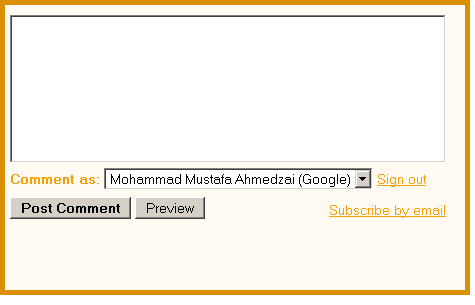
#mbt-form aThis part defines the color of these two links -> “Sign out” and “Subscribe by email” . These links appear at bottom right corner of every Blogger Comment Form.
color: This sets the link color. Set a link color as contrast to the background color.
That’s All!
I hope this tutorial will be of great help to bloggers and designers. We request everyone to kindly link back if you wish to share this unique tutorial with your readers and friends. We thank you for your patience. Any question is welcomed :>


If you don't want to get yourself into Serious Technical Trouble while editing your Blog Template then just sit back and relax and let us do the Job for you at a fairly reasonable cost. Submit your order details by Clicking Here »
 Mohammad
12/09/2009
blogger tricks
,
CSS and HTMLTricks
Mohammad
12/09/2009
blogger tricks
,
CSS and HTMLTricks

This is something remarkable you have done mohammad! Thank you so much. I really never expected to see my own form with my own customized colours and look. I thank you so much for making it so easy.
ReplyDeleteI really don't know how to thank you except that you made my day!
ReplyDeleteJust subscribed using the ID
svwillie @ G Mail
Please sent me the code for that wooden style comment form
wonderful Mohammad
ReplyDelete@adnan
ReplyDeleteThanks for you subscription.
Code Sent!
@Willi @TAMIL
It is exciting to know that you guys found it interesting.
For me also please jayaraj.chinna@gmail.com
ReplyDeleteThis is another cool post Mohammad.thanks
ReplyDeletebut i want to add image before comment form,just like u.plz help me with that.I am providing a image that will help u what i am exactly want.
http://i49.tinypic.com/bg6w6a.png
@Chinna
ReplyDeleteCode Sent!
@Amith
Do This,
1. Go To Blogger > Layout > Edit HTML
2. Check The "Expand Widget Templates" Box
3. Search For This, <data:postCommentMsg/>
4. Replace it with this,
<img border='0' src='IMAGE-URL-GOES-HERE'/>Confused? Feel free to ask
Remember to replace IMAGE-URL-GOES-HERE with your image link.
5. Save your template
6. Done! :>
thanks a lot. very use full
ReplyDeletewow nice will you make one for me according to my blog please???
ReplyDeletehttp://airtelcoolhacks.blogspot.com
@Sachin
ReplyDeleteLearn it your self using our HTML Editor. You will surely make one!
I not really understand about the article, i try to do myself but still can't. Can you help me?.
ReplyDeletePlease sent me the code for that baby style comment form. This is my email address ; frankiejohn4u@hotmail.com and this is my blog ; http://frankiejohn.blogspot.com/
Thanks for your loyal supports,
Frankie John
Amazing and too easy!!!
ReplyDeleteReally thanks!
@Frankie John
ReplyDeleteYou will need to first subscribe by submitting your email address in the subscription form on the right sidebar. I will email you the code instantly along with instructions. TAke care :>
@voc
Thanks dear.
You got some great tips here but this is one of my favorites !
ReplyDeleteI had played around with the comment section but nothing this inventive.
Thanks.
Paul.
@Paul Crowe
ReplyDeleteYou welcome Paul :>
Attach your Subscription Email ID if you wish to receive the CSS codes for other forms.
Is this really possible? Is there a way we can translate the comment form?
ReplyDeleteOf course it is possible. The examples are in front of your eyes.
ReplyDeleteWell unfortunately the comments ID names and other text data can not be translated.
can you give the css code for the 2nd one(the wood).
ReplyDeleteI have suscribed
varun419@in.com
i'll try it first...thanks
ReplyDeletecan you give the css code for the 4th one.
ReplyDeleteI have suscribed. My email: huynhathawave@yahoo.com. Thanks alot.
@varun
ReplyDeleteJust sent you the CSS codes! :>
@Viprolan
Friend kindly activate your feeds first to receive the requested code. I will email you the codes as soon as I find that the feeds have been activated.
Hi there i have subcribed to your post,kindly email me the codes,abdulrafay_789@hotmail.com
ReplyDeletei subscribe you..and i wanna codes of this comments form
ReplyDeletemary_3st3_tare@yahoo.com
have a nice day!
xoxo,mary ^^
i wanna mean THESE******** comments form
ReplyDeletegod! -_-'
sorry again for english
varun419@in.com
ReplyDeleteCan you please send this again to my email.I lost the one you sent me.Thanks
This comment has been removed by the author.
ReplyDeleteHello,Anyone There,,I need This Package varun419@in.com
ReplyDeletehave subscribed and am interested in comment forms.
ReplyDeleteelizabeth_seither@hotmail.com
thanks
Is there any way to change the height? I've tried editing the height in the iframe itself and all possible classes/id's
ReplyDeleteit's driving me insane because I align my blog to a grid! :/ :p Thanks! :D ;p
punya saya form komentar nya kok malah kepotong yah waktu pas verivikasi kode nya...?? gmn tuh boss?? please share dong..
ReplyDeletelam kenal adit
test
ReplyDeleteThank you!!!
ReplyDeleteHi Mohammad-
ReplyDeleteExcellent tutorial.
How would you change the color of the actual WHITE Comment form? I've actially tried adding CSS Style commands to the command-form area, and even created a CSS element to refer to 'comment-form', but I've had no luck.
I've always used a dark Blog template, so it would be great to lessen the bright contrast of White on the comment form. Or perhaps even giving it a light/pastel color to match any of the techniques you've demonstrated here. Any ideas?
Again, thanx for the tutorials here- I especially like the 'hover over' toggling.
cheers-jym
Stopped me from using Disqus. Good.
ReplyDeleteYararlı bir paylaşım olmuş teşekkürler...
ReplyDeleteExcellent. I followed your instructions and it worked perfectly in the first try.
ReplyDeleteThank you!!
This is awesome thank you, I haven't tried it yet but I'm excited.
ReplyDeleteIn other questions...How do you make it so that when you respond your comment looks different than ours?
Thanks, Mohammad. Since I used your html editor about morethan 6 months ago, I started loving css and html and always practise. Now I really love html and css of course you made me like it. Thanks.
ReplyDeleteThanks you
ReplyDeleteHello, Mohammad. I have a question to ask and I really hope you can help.
ReplyDeleteIs there a way I can put the datestamp on the same line as the comment author like this one --> http://www.bloggerbuster.com/2007/08/translate-your-blog-using-google.html#comments and
http://i56.tinypic.com/29embnb.png
I've searched and searched on google but I can't seem to find any tutorial for it. Thanks!
Im indeed a subscriber too! meliane.bureau (at)gmail
ReplyDeleteI wish to customize mine with my own bg-img and such. I guess the brick or wood one would suit me best.
Thx this is amazing!! Finally!
Hai muhammad,
ReplyDeletei'm very like this modification. can you help me to do this. i already follow you and also subscribe this blog.
my id : sumpit kamal
my blog : www.qalish.com
my email: starlove_2u@yahoo.com
how about to change the position?
ReplyDeleteI subscribed... charlenelynnlong@aol.com
ReplyDeleteHello Mohammad,
ReplyDeletesorry i am asking you question in your most of the post but i need to thing in my comment section
1) in my comment section when someone comments is doesn't show the avtar(profile picture)of that person.
2)and link in your comment section when i reply to my reader it should be displayed differently like in your case it shown in green color which is quite awesome.
so please help me brother.
Excellent post! But i already used intensedebate.
ReplyDeleteHello Mohammad,
ReplyDeleteFirst of all i want to thank you for your nice article, but i have a problem when modifying my comment form. I have tried to change the html codes as you show above, but no changes at all are shown in my comment form.
Actually, i also have tried several tutorials, but still it does not work at all. I thought, maybe there is some codes that is locked or something. For you know, i'm using 'My World' template. I really hope that you can help me to solve this problem.
Thank you again for your kindness and attention.
I have subsribed and this is my email address : flatzav@yahoo.co.id
I have emailed all the copies and please try it with the new codes and if you needed any help kindly let me know.
ReplyDeleteI really feel embarrassed to have replied so lately... :(
@Rocka
Please use the codings I emailed and see if it works.
Hi! Is it possible to change the colour of the comment box
ReplyDelete@Peter
ReplyDeleteI am afraid we can not change the white color buddy. That CSS can not be accessed.
hello again,
ReplyDeleteim using the "MBT Church theme" now and i've done all the steps exactly as you said, but still it can not work well. can you help me to put this comment form on MBT Church theme?
hello mr.mohamed salam alaikkum
ReplyDeletei have started one blog and if anyone want to comment on my blog through tamil, it doesnot work. and they comment through english and other languague also. so how to get the comment everything tamil. should i keep any tamil converter in comment area. can you help me - drop mail to my id azifairalways@gmail.com
Hi,
ReplyDeleteI had embedded your contact form(with child image) in my blog (http://discoverdreamland.blogspot.com). Its really cool. Thanks for it. As you had told me to embed intense debate comment box and also activate comment luv. So how can i do that? I had subscribed to your site. Send me the code for that. Do you wanna be first commenter to comment on my blog?
Hi, Mohammad.
ReplyDeleteI rather like the brick comment form. I have subscribed.
Cheers,
M16Murphy@gmail.com
@M16 Murphy
ReplyDeleteI have sent them all. Enjoy! :D
@Ashish
I did never recommend intense debate or comment luv. Please avoid them for better page load time. Please share your Email Id.
Can you tell me what's the reason that intense debate will take longer time to load than normal comment form? Can you suggest me some comment mechanism in which comments can be COUNTED and admin comment appears DIFFERENT from other ones. It should be bit stylish. I hope you can find one and let me inform. I didn't got your message until i visited this page again. Please mail me or reply on my blog so that i can be updated.
ReplyDeleteThanks
http://discoverdreamland.blogspot.com
ashishhgaurav@ymail.com
I can see that you also have comment counter and admin comment appear different. But its bit simple. I want some stylish one. Please help me out.
ReplyDeleteThanks
http://discoverdreamland.blogspot.com
@Ashish
ReplyDeleteApologies for late reply:
Intense debate works on a javascript that is stored at their servers. When your blog loads, the browser contacts the intense Debate servers for retrieving data. This delay in time sometimes makes the page to load in a much longer time. Resulting in loss of precious pageviews. It also discourages commenting on your site. Its better to use the default blogger comment form as it is stored in Blogger servers where your all other data is stored.
These customizations are what I designed at the moment. I will publish better styles in future. Hope this helps.
I had subscribe ..Can you send me the html code of wood and brick comment form on my mail shahsantosh2009@gmail.com.
ReplyDeleteI think those out of those two one will be suitable in my blog http://danfenepal.blogspot.com
@Santosh
ReplyDeletethe copy has been sent to your inbox.
I loved this! I made a publication in Portuguese in my blog so that readers Brazilians who do not speak English, can also follow the tutorial. Everything is properly credited to you and the MBT.
ReplyDeleteThank you for sharing.
THX for sharing
ReplyDeleteCongratulations on the tip and the blog
ReplyDeleteIt is very helpful!
ReplyDeleteawesome.. most useful trick i have ever came across. thank u. :-)
ReplyDeleteIt does help me a lot. But I just met a new question: when I click reply on my blog and it will not show me a windows to reply. I don't know how to solve the problem. And I use the custom template. I don't if there is something wrong with it. My blog is about student club: www.infvalue.com , I hope you can help me solve the problem. Thanks a lot
ReplyDeletei m your subscriber
ReplyDeleteplz send me the last design (orange) at fahadbinkhalidpk[at]gmail
finicky321@gmail.com
ReplyDeletenice~
ReplyDeletem waiting for your new comment form....
ReplyDeletethanks
I subscribed your MBT. please send me...
ReplyDeletelankablogg@gmail.com
I subscribe mbt. please send me the 2nd . lankablogg@gmail.com
ReplyDeleteAsalamualikum to all of you.
ReplyDeleteMuhammad bahi i like your blog v v much. thx for uploading good information. thanks once again.
Hi mohammed..
ReplyDeleteI am newbie to the blog world..and i think I messed up on the FB like box-can you check my blog http://craftysideup.blogspot.com/ and you see on the post section- there are 2 FB like box(one is wrong and one is right) I just need the second one. how do i remove teh second one? please let me know..
Great post buddy...I have subscribed...my mail id is sashwat.padhy@gmail.com
ReplyDeleteI have subscribed, my email is: siuhanley[at]gmail[dot]com
ReplyDeleteJust subscribed & would LOVE the code for the template below the baby! That would be awesome @themomdiaries Thanks for this...
ReplyDeleteHi Mohammad Nice tutorial I have placed the comment form in my blog and it is looking cool.I want place other image at the bottom right in the comment form where you placed the baby with do not spam.Can you help me in this giving the code..
ReplyDeleteThanks & Regards
Sreedhar
hello! i already subscribed! my e-mail is theadoboflakes@gmail.com thanks in advance!
ReplyDeletei have subscribed send me all comments cuszomised comment form
ReplyDeletehere vhemant03@gmal.com
thanks
Hi mohammed, I have subscribed to your email updates. Pls send me all customised comment form at kelechi_n55@yahoo.com.
ReplyDeleteThanks for your work!
very good job friends, I like your style
ReplyDeletehey Friend email me all codes of This
ReplyDeletedklove84@gmail.com
Inshaa allah, allah will bless you!!!!
ReplyDeletehttp://internetricks4u.blogspot.com/
I hope Im tooo late.. But, I need to try this. already subscribed. send me the codes please...
ReplyDeletePlease email me the codes, kamini1963[at]gmail.com
ReplyDeleteP.S.- I have subscribed to your blog :)
Sent to all! :>
ReplyDeleteMore updated 1000+ customized comment forms are available now at: 1000+ Comment Form Patterns and backgrounds
This comment has been removed by the author.
ReplyDeleteExcellent information
ReplyDeleteI applied to my blog. There is any option to add a comment form in blooger like Name, Email Id, Web url. So it will look very nice and reduce Anonymous Commentators.
Hi mohamad i want to put "wooden style comment box shown in second image in this post" i cant found image link bro. Can u please send it to
ReplyDeletespebusiness@gmail.com
please send soon
the image i need is comment box background image link for css of #mbt-form iframe
background: url(needed image link for wooden style which is in brown color pattern of plywood plank)
Response me soon as i need urgent & within today plz sir i am also a subscriber n thanks for jumbo pack!
dear sir what is the link url for "reply" for commentors plz email me to spebusiness@gmail.com
ReplyDeletePlease sent me the code for that wooden style comment form
ReplyDeleteThank You. So greatly done and awesome. Coolest Innovation. Just found and subscribed.
ReplyDeleteRequest for for the simple ' Wooden ' Model( the starting one of this post)
Do this work for 'Pop-Up' comment also?
Thank You again.
This comment has been removed by the author.
ReplyDeleteHi Mohammad :)
ReplyDeleteHello Mohammad,
I am Brazilian and I am very happy to have discovered your blog. Sorry but I do not speak English very well.
Already signed up to receive your updates.
Could you send me the tutorial to customize the other comments, please?
my email is "lucysemfronteiras @ gmail. com"
Congratulations on your work in Blogger!
Thank you in advance.
A hug from Brazil;)
Lucy
Awesome... wonderfull tutorial but, i found the better... maybe... no hurts feeling
ReplyDeleteHey Mohammad this is my email I subscribed to:
ReplyDeletedaniel.rechey28@gmail.com
This comment has been removed by the author.
ReplyDeletemutufa bhai ,i have subscried to you.kindly send me the css code of that first form which has a ply wood like color..please my email id is zeenatvar@gmail.com
ReplyDeletei have subscribed give the code of this css ..
ReplyDeleteemail rajdubeygkp@gmail.com
hi Subscribe with your blog my email is nomanmemon1986@gmail.com kindly send me more comment form codes .. \
ReplyDeleteRegards
Noman Memon
Visit http://nomanmemon.blogspot.com
http://pakistanmoneyonline.blogspot.com
Sir does not work in my blog. In fact the original comment box of blogger also does not appear in my blog. I have tried almost all templates of blogger but the comment tag does not appear. My blog url is http://parthasarathi108.blogspot.com. If you kindly help. Thanks. My email add is parthasarathi108@gmail.com
ReplyDeleteHello brother this is my email : alamin.mahamud1@gmail.com
ReplyDeletepls send me the code to install comment box like u r using
I have subscribed email. Can i have cool comment form?
ReplyDeleteTHanks so much for this tutorial. I've succesfully installed it into my blog, however, I'm trying to change the image. I'm wondering what URL you used for image. For example, the image I want to use is in photobucket. I've tried all the links (direct link, Email&Im link, HTML code, and Image Code and neither worked. Does the image need to be on a host site? I noticed yours was from Picasa. Any help would be appreciated.
ReplyDeleteThanks!
Monica
http://mmweissfamily.blogspot.com/
woow, I've succesfully installed it into my blog,thanks
ReplyDeletehey bro i have subscribed to your blog. can i get a code for styling my comment section.It would be very great to get your response as soon as possible. My id:Chiran_ad@yahoo.com
ReplyDeleteWooden Style !
ReplyDeleteplzz SEnt The COde
NOT WORKING BRO
ReplyDeleteIAM NOT ABLE TO PASTE THE CODE BELOW THIS
ITS SAYING THAT Your template could not be parsed as it is not well-formed. Please make sure that all XML elements are closed properly.
PLEASE HELP ME
Thanks for the post, but I think you had a bit miss-type:
ReplyDelete(div id='comment-form') instead of (div class='comment-form').
Because I tried to replace (div class='comment-form') but it didn't work. After that, I replaced div (id='comment-form') with (div id='mbt-form') and it works well now. This is my website: http://www.hotroseo.com
Thank you very much.
Já me inscrevi..Obrigada ótima explicação.
ReplyDeletei have tried everything, but the comment form is not changing, then the expand comment is also not working. pls help.
ReplyDeletethis is my mail: easymoney4naija@gmail.com
send me the code for the comment form. thanks.
@Mathew Olusayo
ReplyDeletethe comment is working fine now. but i still need the code for the one with bird.
PSS: how do i customise comment box to have message above it before the real comment box like yours
example
"confuse? feel free (and the rest)
salam hey mtb comment box is show below in post title
ReplyDeleteit means that post title+comment box+post description what i do i want it show to like blogger comment type below blog post how it happen ?
i have already subscribed. gimme the last one. the one with orange border.Thanks
ReplyDeletemy bad mood is back in this article, coz your template "Salahuddin Ayubi" is now I use in my Blog not support to box comment..
ReplyDeletewould you help Us..Thanks before
thanks
ReplyDeleteWhen I am tring to subscribe via badsha.aiemd@gmail.com, it shows a error message.
ReplyDeleteI have subscribed... badsha.aiemd@gmail.com
ReplyDeleteThis is not working in my site... please help me... badsha.aiemd@gmail.com
ReplyDeleteI want it too.. Please contact me ridhwansuriansah@gmail.com
ReplyDeletethanks fore information Mohammad
ReplyDeleteThanks for sharing this ! I had been searching for this since an hour :)
ReplyDeleteThank you for the post. I'm 18 years old, & I'm trying to start my own blog. I really appreciate this post.
ReplyDeleteThanks...Found it helpful...
ReplyDeletethanks for the code provided on style blogger comments.
ReplyDeleteThank you , very helpful :)
ReplyDeletehelped !!
ReplyDeleteI have a problem with comments form. I can't edit back my published comments, do you know how to fix it ? thanks for helping ...
ReplyDeleteEnter your comment...This is pretty good. from www.dollarground.com
ReplyDeletehey.. how did u put the admin label to ur reply on the comment section?
ReplyDeleteThanks. It worked for me
ReplyDeleteHi now in my post when i use the code i see both the comments forms original and customized one. Please suggest how to resolve
ReplyDeletehow to style comment textarea? please help
ReplyDelete