
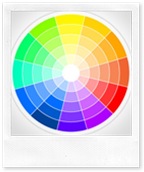
 Just to inform you all that for the flexibility and ease of Blogger Template customization, I have published two extremely useful tools that will help you get the hexadecimal color value Or RGB value for any colour you want. These tools are advanced integrated versions of colour pickers used in graphic software like Photoshop. I am more happy than you are because now I don’t need to open Photoshop each time for picking my desired color or eat my brain in finding matching colours :>
I hope you guys will find them really useful. MBT tools are not only useful to you but I personally use them more frequently than anyone else.


If you don't want to get yourself into Serious Technical Trouble while editing your Blog Template then just sit back and relax and let us do the Job for you at a fairly reasonable cost. Submit your order details by Clicking Here »
 Mohammad
1/04/2010
Webmaster Tools
Mohammad
1/04/2010
Webmaster Tools

Hello,
ReplyDeleteWonderful Post. It would be of great help to everyone including me :)
How do you do that can you send me the code please? I am tired of opening photoshop :;)
ReplyDelete@Ms Hetal Patil
ReplyDeleteyeh it surely will be. With it even I will be able to speed up my designing projects :D
@Anup
Sometimes few tools are kept private! I hope you understand :>
Wow Mohd you have done it again..this looks really handy..thanks for sharing wonderful post and I loved the moving wheel....)))great work.
ReplyDeleteNicely done mustafa! Thanks for those useful tools that your provide
ReplyDelete@Manisha
ReplyDeleteMy pleasure manisha! I love the wheel too :DD
@Rahman
Thanks pal! Those are all for you guys.
Hey! I have got the code:))
ReplyDeleteHi Mustafa i got some prob regarding ur advanced tab widget is comming in top of my sidebar i want to put him below my ads widget and feeds widget just like u did in ur blog i want to same just like your one comming on side bar plz help me out or leave ur comments here that would help me to read easily thx
ReplyDeleteAdios photoshop! Thanx!
ReplyDelete@Sobia
ReplyDeleteCan you share your blog URL so that I could tell you the exact position? Sorry for late reply I am simply busy these days.
Nice. Im sorry can't write english with good.
ReplyDeletehi. i am trying to change color on a new template i added in blogger via btemplates.com site. I can't figure out which sidebar is which. the font is too dark and i want to brighten it to make it easier to read. please help!
ReplyDeletemy site is myrealitybit.com
thanks so much, elizabeth
@Elizabeth
ReplyDeleteDear simply download the Firefox add-on Color Zilla from this page
https://addons.mozilla.org/en-US/firefox/addon/271
All your answers are linked with this add-on :>
Thank you for sharing the color code generator. It is a great help for bloggers.
ReplyDelete